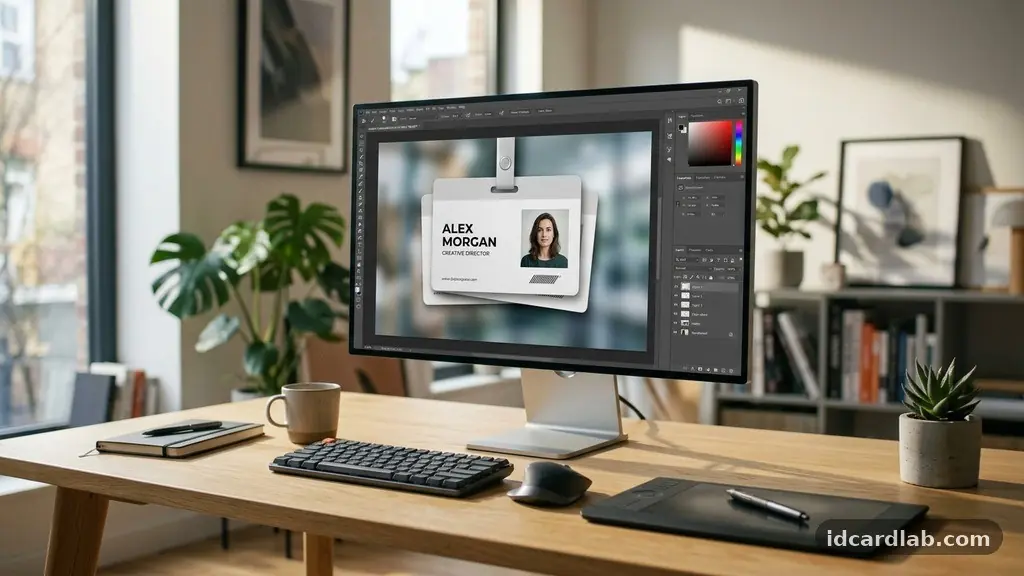
Getting a clear grasp on understanding the Difference Between ID Card Mockups, Templates, and Final Designs is vital for anyone managing professional identification systems. Whether you are working in HR departments or designing for a small business, knowing when to use each asset prevents costly printing errors and ensures your brand identity remains sharp.
While these terms are often used interchangeably, they serve distinct roles in the workflow from initial concept to the physical badge hanging in a badge holder. This article provides the technical clarity needed to streamline your production process and ensure that your final printed output matches your professional vision.
The Core Purpose of an ID Card Mockup
An ID card mockup is a visual representation of your design before it is committed to a final production file. Designers use these to show clients how a layout will look once it is printed on a physical substrate like PVC.
Mockups often include realistic elements such as drop shadows, lighting effects, and rounded corners to simulate the look of a real card. This is primarily a tool for design validation.
By viewing a mockup, stakeholders can judge the visual balance, font legibility, and color palette without needing to print a single test card. It is not intended for the actual printing press or digital card printer.
If you attempt to print a mockup file, you will likely see artifacts or distorted graphics that were meant only for screen presentation. Focus on the aesthetic impact here rather than technical print specifications.
Leveraging Templates for Operational Efficiency
Templates serve as the structural framework for your identification program. Unlike a mockup, which is a static image, a template is a functional file that contains the layout grid, placeholders for photos, and designated zones for variable data.
HR departments rely on these to maintain brand consistency across a large workforce. A good template ensures that every employee’s badge follows the exact same visual rules.
When you use a template, you are essentially creating a master document. This document defines where specific elements, such as job titles or employee names, should sit on the surface of the card.
Many professional printers provide templates that include specific layers for QR codes and barcodes to ensure they align perfectly with the card printer’s internal sensor. Using a standardized template reduces the risk of human error when processing new hires.
Technical Specifications of Final Design Files
Defining Final Design Files requires moving away from the aesthetic focus of a mockup and into the rigid requirements of print production. These files must be set to the standard CR80 size, which measures 3.375″ x 2.125″.
Anything outside of this dimension will lead to misaligned printing or white edges where the ink doesn’t reach the border. You must also ensure your file is set to a high DPI resolution, ideally 300 DPI or higher, to prevent pixelation.
Final design files are the “source of truth” for your production hardware. They often include specific instructions for printers, such as overlays for security holograms or magnetic stripe encoding parameters.
If your file is not flattened or if the fonts are not properly embedded, the printer may interpret the data incorrectly. Always confirm that your final file is exported in a format your specific card printer supports, such as a high-resolution PDF or a proprietary format used by ID software.
Visualising the Production Workflow
To keep your project moving, it helps to see how these three elements interact throughout the lifecycle of an ID card project. The following table summarizes the primary function and technical focus of each stage.
| Asset Type | Primary Function | Technical Priority |
|---|---|---|
| Mockup | Client Approval | Visual Aesthetics |
| Template | Workflow Consistency | Layout Logic |
| Final Design | Physical Printing | DPI and Dimensions |
Managing Variable Data and Security Features
Once you have your template established, you must account for the dynamic content that changes from card to card. This includes unique identifiers like barcodes, QR codes, and employee portraits.
These elements are not part of the static design; they are data-driven. Your final design process must account for how these dynamic elements interact with your static branding.
If you are incorporating security holograms, these must be treated as a separate layer in your final file. Most thermal transfer printers require a specific “overlay” panel to bond these features to the card surface.
Failing to designate these correctly in your design software will result in a badge that lacks its intended security features. Always consult the ISO/IEC 7810 identification card standards to ensure your final design adheres to global physical requirements.
Common Pitfalls in the Design Process
Many designers fall into the trap of using mockup files for production. This happens when they assume that because an image looks good on a high-resolution screen, it will look good on a plastic card.
However, screen colors are based on RGB, while card printers use CMYK or YMCKO ribbon systems. This mismatch can lead to dull or shifted colors that surprise the production team.
Another common issue is ignoring crop marks and bleed areas. Even though most ID cards are small, they require a bleed if your background color or image goes to the edge of the card.
If you don’t include a slight bleed in your final design, you will often end up with an unsightly white sliver on one side of the card. Always check your printer’s manual for their specific edge-to-edge printing capabilities.
Organising Your Asset Library
Keeping your design assets organized is just as important as the design itself. HR departments often have to reprint badges years after the original was issued.
If your folder structure doesn’t clearly distinguish between your working mockup files and your final production-ready designs, you will waste hours searching for the right file. Use a naming convention that includes the date and the version number.
* Mockups: Keep these in a separate folder for client or manager review.
* Templates: Store master files in a read-only folder to prevent accidental overwrites.
* Final Designs: Archive these as flattened, high-resolution PDFs or printer-specific files.
* Assets: Keep individual high-res headshots and logo files in a centralized database.
The Role of Branding in ID Cards
An ID card is more than just an access tool; it is a piece of marketing collateral that represents your organization. When you are designing your templates, ensure that the placement of logos and fonts aligns with your broader brand guidelines. Consistency in color and typography helps build a sense of professionalism and unity among employees.
When you are in the phase of understanding the Difference Between ID Card Mockups, Templates, and Final Designs, remember that the goal is always to deliver a consistent brand experience. A mockup allows you to experiment with this branding without risk.
Once the design is approved, the template ensures that every single badge reinforces that brand identity. The final design file then ensures that the quality of the output matches the quality of the brand.
Frequently Asked Questions
Why does my card look different than my mockup?
The primary reason for this is the difference in color profiles. Mockups are designed for screens using RGB, which can display a wider range of colors than the physical ribbons used in card printers. Additionally, printers often have specific margins that may crop your design differently than the mockup suggests.
Should I include crop marks in my final file?
Generally, you should avoid including visible crop marks in the final file unless your specific printer software requires them to align the media. Most modern ID card printers handle the alignment internally based on the card dimensions. Including manual crop marks can lead to them being printed as part of the card design.
Can I use a JPEG for my final design file?
While it is technically possible, it is not recommended. JPEGs are compressed files that can lose quality, leading to “artifacts” or blurriness around text and logos. Always prefer vector-based files or high-quality, uncompressed formats like PDF or TIFF for your final production files to ensure sharp, clear text.
What happens if I don’t use a template?
Without a template, you are manually positioning every element for every single card. This is highly inefficient and prone to errors, such as misaligned text or overlapping photos. It also makes it impossible to maintain a consistent look across your entire organization, as small variations will inevitably creep into your designs.
How do security holograms affect my design?
Security holograms usually require a specific layer in your design file that tells the printer where to apply the protective film. If this layer is missing or incorrectly configured, the hologram may not cover the necessary areas or might obstruct important information like the employee’s name. Always test a single card before running a large batch.
Final Thoughts
Mastering the technical and practical elements of badge production creates a smooth workflow for any organization. By understanding the Difference Between ID Card Mockups, Templates, and Final Designs, you ensure that your team spends less time troubleshooting files and more time maintaining professional standards. Start by isolating your design assets into these three clear categories to prevent production bottlenecks.
When you approach your next ID project, take the time to verify your DPI resolution and dimensions before committing to a print run. Implementing these small, disciplined habits will save you significant time and resources in the long run.
If you have questions about your specific hardware, reach out to your printer manufacturer for their recommended design settings. Your commitment to these details will result in professional, durable, and secure identification for everyone in your organization.