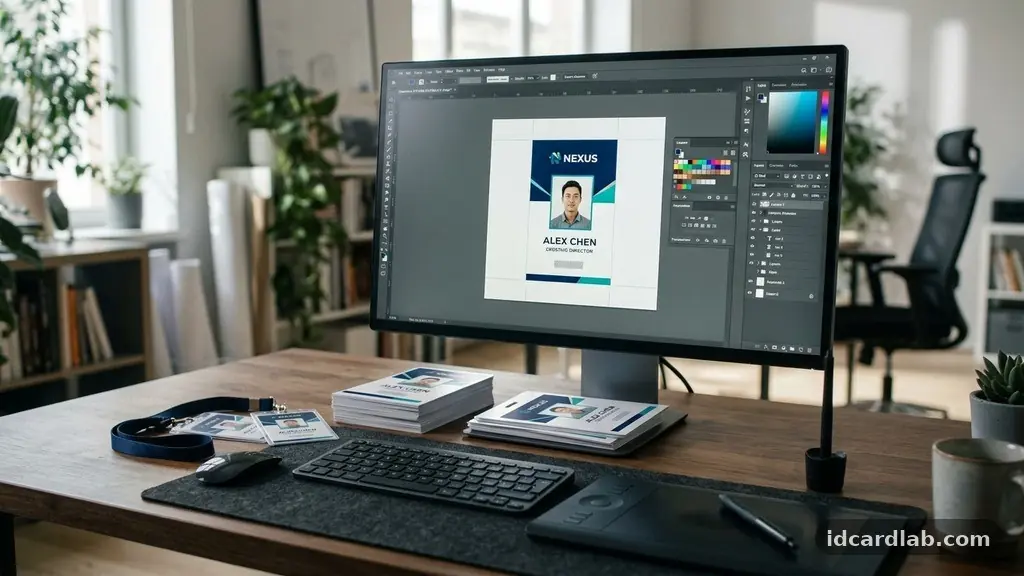
Maintaining consistent branding across employee ID cards serves as a vital touchpoint for your company’s professional image. When every credential aligns with your organization’s visual identity, it reinforces trust and recognition among staff and visitors alike.
You will gain a deeper understanding of how to standardize your card production processes, ensure color accuracy, and integrate security features without sacrificing your aesthetic goals. By following these structured practices, you ensure that every badge issued reflects the values and design standards of your institution effectively.
Establishing a Unified Visual Identity
The first step in maintaining consistent branding across employee ID cards is the creation of a rigid set of design standards. Your brand guidelines should explicitly define how the logo, typography, and color palette appear on small-format plastic media.
Without a central reference document, individual departments might choose different fonts or logo orientations, leading to a fragmented appearance across your workforce. Consistency starts at the design phase where proportions and whitespace are locked in for every card type.
Use a high-resolution logo that remains legible even when scaled down to fit a standard CR-80 card size. Many designers make the mistake of using a web-optimized logo file that looks blurry when printed on physical stock.
By providing your production team with vector-based assets, you ensure that curves and lines remain crisp regardless of the printer resolution. Consistent placement of the logo—usually in a corner or centered at the top—creates a predictable pattern that viewers recognize instantly.
Typography also plays a significant role in how your brand is perceived. Select two primary fonts: one for the employee’s name and another for the job title or department. Keep these selections limited to ensure that the card does not become cluttered or difficult to read at a glance.
When you standardize these elements, you remove the guesswork for anyone tasked with creating new credentials. This structural discipline is the bedrock of a professional identity management strategy.
The Science of Color Accuracy
Achieving color consistency on PVC card printers requires more than just picking a shade from a digital menu. You must utilize Pantone matching to ensure that your corporate colors look identical whether they are on a business card, a digital screen, or a physical ID badge.
Printing technologies often interpret RGB colors differently than CMYK, which can lead to unexpected shifts in hue. By specifying exact Pantone codes, you provide a benchmark that printing software can target for every production run.
Consider the limitations of thermal dye-sublimation printing when selecting your palette. Some neon or highly saturated colors may not translate perfectly onto plastic surfaces.
Test your colors on a small batch of cards before committing to a company-wide rollout. Documenting these specific color profiles within your brand guidelines prevents future errors when staff turnover occurs or when you switch to a new printing vendor.
Regular calibration of your printing hardware is equally important for maintaining color fidelity. Over time, print heads can shift or accumulate dust, causing subtle changes in output quality.
Establish a monthly maintenance schedule where test prints are compared against your master color swatches. This proactive approach catches drift early, ensuring that the brand image remains stable throughout the entire fiscal year.
Standardizing Employee Headshots
Employee headshots are often the most inconsistent element on an ID card, yet they are the most visible. To maintain a professional look, you must establish a clear photography policy that dictates lighting, background color, and framing.
A plain, neutral backdrop—such as light gray or white—prevents the background from clashing with your corporate branding. This simple rule creates a cohesive visual rhythm when employees are lined up in a directory or standing together in a group.
Provide your staff with specific instructions on how to submit their photos if they cannot be taken on-site. Define the required resolution and aspect ratio to avoid stretched or pixelated images.
When every card features a high-quality, evenly lit portrait, the identity card feels like a deliberate piece of corporate collateral rather than a random snapshot. This attention to detail signals that the company values quality in every aspect of its operations.
If your budget allows, hire a professional photographer to set up a mobile studio at your office locations. This guarantees that every image adheres to the same lighting conditions and aesthetic standard.
If that is not feasible, create a simple “how-to” guide for employees that explains how to take a compliant photo using a smartphone. By setting these expectations early, you eliminate the variability that often plagues decentralized badge production.
Selecting the Right Materials
The physical quality of your card stock directly impacts how your brand is perceived by those who hold or view the badge. Using low-grade materials can lead to fading, cracking, or surface peeling, all of which reflect poorly on your corporate image.
Invest in high-quality PVC or composite cards that are designed for durability and longevity. The tactile feel of a high-quality card reinforces the professionalism of your brand every time an employee swipes into a building.
The choice of finish—matte or glossy—should also be defined in your branding documentation. A glossy finish might make colors pop, while a matte finish can appear more sophisticated and reduce glare under office lighting.
Whichever you choose, apply it consistently across all departments. This uniformity is a subtle but powerful way to signal that the organization operates with high standards of excellence.
Consider the role of protective laminates in your card production process. These layers not only extend the life of the card but can also be used to incorporate subtle, branded holographic overlays.
These security features add a layer of sophistication while protecting the printed surface from daily wear and tear. When your cards remain crisp and clean for years, your brand stays front-and-center in the minds of your employees and partners.
Integrating Technology and Security
Your ID cards are more than just visual identifiers; they are key components of your access control systems. Integrating technology like RFID chips or magnetic stripes does not mean you have to compromise on your visual design.
Work with your technical team to ensure that the placement of these components does not interfere with the aesthetic layout. The most effective designs hide the technology, allowing the visual identity to remain the focal point of the card.
Many organizations use identity management software to automate the population of data fields on the card. This software ensures that names, titles, and ID numbers are formatted exactly the same way on every single card.
By pulling data directly from your HR database, you eliminate manual entry errors that can lead to inconsistent font sizes or alignment issues. This level of automation is essential for maintaining brand integrity in large organizations.
Security features such as micro-text or ultraviolet printing can be seamlessly integrated into your standard design. These elements add a layer of authenticity without cluttering the face of the card.
By embedding these subtle security markers into your layout templates, you protect your brand from fraud while maintaining a clean, professional aesthetic. Consult the International Organization for Standardization guidelines for best practices regarding identification card security and design.
Managing Production Through Layout Templates
Layout templates are the primary tool for maintaining consistent branding across employee ID cards in a fast-paced environment. By creating a master template that includes locked layers for your logo and contact information, you ensure that no one accidentally moves or resizes critical assets.
Use software that allows you to define strict margins and bleed areas, preventing printing errors that could result in off-center designs. This structure is particularly helpful for offices with multiple locations or decentralized HR teams.
The following table illustrates the key elements that should remain static across your template design:
| Element | Placement Strategy | Consistency Requirement |
|---|---|---|
| Company Logo | Top-left corner | Must use vector file |
| Employee Name | Centered, bold font | Max 20 characters |
| Job Title | Below name, italics | Standardized list |
| Security Hologram | Bottom-right corner | Same orientation |
Update these templates annually to reflect any changes in your corporate branding policy. If you undergo a rebrand, the transition should be seamless because your assets are already organized into a central system.
A well-managed template library acts as a single source of truth for your entire organization. This minimizes the risk of outdated branding appearing on new hires’ badges.
Common Challenges and Solutions
One of the most common hurdles in maintaining a consistent look is the variety of card printers available in different branch offices. Older machines may not produce the same color depth or resolution as newer models.
To resolve this, consider centralizing your printing operations at a single hub. If you must print locally, ensure that every office uses the same model of printer and the same type of printer ribbon.
Staff turnover often leads to “badge fatigue,” where employees might lose their cards or request replacements that don’t match the original design. Create a streamlined process for badge requests that includes a review step by your communications or branding team.
This check ensures that any new card produced adheres to the latest version of your visual guidelines. It also provides an opportunity to verify that the employee’s information is still current.
Another issue is the inclusion of excessive information on the card, which can lead to a cluttered and unprofessional appearance. Resist the urge to add emergency contact numbers, office locations, or personal slogans unless they are part of a unified, approved design.
If you need to include extra data, use the back of the card to keep the front clean and focused on your brand identity. A minimalist approach is almost always more effective for identification purposes.
Frequently Asked Questions
How often should we update our ID card design?
You should review your card design whenever there is a change to your company’s corporate branding policy or logo. Even without a major rebrand, it is wise to audit your templates every two years to ensure they still align with your current visual identity and security requirements.
Can we use different colors for different departments?
Using color-coded borders or backgrounds for different departments can be a great way to manage access levels, but keep these colors within your established brand palette. Avoid introducing new, non-brand colors, as this will fragment your overall visual identity and make the cards look like they belong to different companies.
What is the best way to handle card printing for remote employees?
For remote staff, it is best to use a centralized printing service that ships the completed cards directly to the employee. This ensures that the quality and branding are identical to those printed in-house. You can manage the requests through your existing identity management software to ensure the data remains accurate.
How do we ensure our ID cards remain secure from tampering?
Incorporate physical security features like holographic overlays, UV-reactive ink, or custom lamination patterns into your design. These features make it difficult for unauthorized individuals to replicate your cards. Additionally, ensure that your card production software is password-protected and restricted to authorized personnel only.
Why is it important to use vector files for logos?
Vector files use mathematical paths rather than pixels, which means they can be resized infinitely without losing quality. If you use a standard image file like a JPEG, it will become blurry or pixelated when scaled, which degrades the professional look of your employee ID cards.
Maintaining Long-Term Brand Integrity
Consistent branding across employee ID cards is a continuous process that requires vigilance and clear communication. By establishing a robust set of brand guidelines, utilizing high-quality materials, and automating your production through templates, you protect the professional image of your company.
Every time an employee wears their badge, they are acting as a representative of your organization. When that badge looks sharp, professional, and consistent, it reflects positively on the entire business.
Continue to audit your badge issuance process to ensure that it stays aligned with your broader corporate goals. If you find that your current system is failing, do not hesitate to tighten your policies or upgrade your equipment.
Small, deliberate improvements to your card production will yield significant benefits in how your brand is perceived by clients and staff. Reach out to your design and IT teams today to review your current templates and confirm they meet your standards.