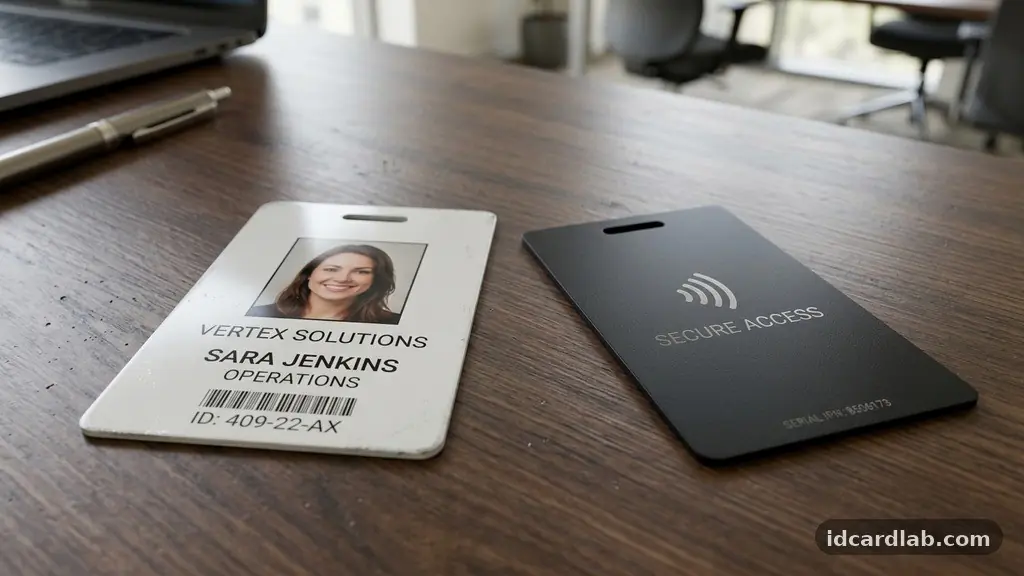
Understanding the nuances of Employee ID Cards vs. Access Cards: Key Differences Explained helps businesses build more secure and efficient workplaces. While both tools often look identical to the naked eye, their primary functions differ significantly.
An ID card focuses on visual identity verification, whereas an access card serves as a digital key for secure entry. Distinguishing between these two technologies allows facility managers to make informed decisions about security infrastructure and personnel management.
By choosing the right card type, you ensure that your team remains identifiable while your sensitive areas remain protected from unauthorized entry. This guide clarifies how these systems function and where they overlap in modern corporate security.
Core Functional Differences
The primary distinction between these two card types lies in their intended purpose within an organization. An employee ID card is fundamentally a tool for visual identity verification.
It typically displays a name, job title, department, and a high-quality photograph for quick human recognition. Security staff or colleagues use these cards to confirm that a person belongs in the building or a specific office area.
Conversely, an access card functions as a digital credential for an access control system. It contains embedded technology that communicates with card readers placed at doors, gates, or elevators.
When an employee presents the card, the reader scans for specific encrypted credentials to determine if entry should be granted. While an ID card is for the eyes, an access card is for the machine.
Understanding Physical Security Roles
Physical security relies on both visual and digital layers to keep a workplace safe. Employee ID cards act as the first line of defense by enabling coworkers to identify strangers quickly.
If someone without an ID badge enters a sensitive area, the visual discrepancy acts as an immediate alert to staff. This social layer of security is vital for maintaining a safe office culture.
Access cards provide the technical layer that prevents unauthorized physical entry. These systems log exactly who enters a room and at what time, creating an audit trail for security teams.
By integrating both, companies maintain a balanced approach where human observation complements automated tracking. This dual-layered strategy is the gold standard for modern, high-security environments.
Technological Foundations
The internal components of these cards vary based on their specific utility. A standard photo ID badge is often just printed PVC plastic with no internal electronics.
Advanced ID cards might include a barcode or QR code for simple scanning during attendance tracking. These are inexpensive to produce but offer no real digital security against cloning.
Access cards, however, utilize sophisticated internal hardware to manage security. Common technologies include proximity cards, which use low-frequency radio waves to transmit a unique ID number.
More modern variants leverage smart card technology, which includes an onboard microprocessor for higher levels of data encryption. These cards are significantly harder to replicate and provide a safer way to manage building access.
Comparing Card Technologies
The following table summarizes the key features of various card types used in modern businesses.
| Card Type | Primary Function | Technology Used | Security Level |
|---|---|---|---|
| Standard Photo ID | Visual Identification | None (Printed) | Low |
| Magnetic Stripe | Basic Data Storage | Magstripe | Low-Medium |
| Proximity Card | Physical Access | RFID (125kHz) | Medium |
| Smart Card | Secure Access/Data | Contactless Chips | High |
Benefits of Hybrid Card Systems
Many organizations choose to combine these functions into a single “smart” badge to streamline employee badge management. This approach saves money on production costs and reduces the number of items employees must carry daily.
A hybrid card features a high-resolution photo on the front for visual identification and an embedded RFID or NFC chip for building access. This integration ensures that every person in the building is both identifiable and tracked for security purposes.
Implementing a hybrid system also simplifies the onboarding process for new hires. Human resources departments only need to issue one card instead of two, reducing administrative overhead.
When an employee leaves the company, revoking access is as simple as deactivating their single credential in the system. This efficiency makes hybrid cards the preferred choice for most mid-to-large-sized enterprises.
Security Vulnerabilities and Risks
Understanding the risks associated with different card types is essential for maintaining a secure environment. Basic magnetic stripe cards are notoriously easy to clone using inexpensive hardware.
If an organization relies solely on magstripe technology, they are vulnerable to unauthorized entry by individuals with minimal technical knowledge. This is why many companies are migrating toward encrypted credentials.
Proximity cards, while more secure than magstripe, also have limitations regarding cloning. Some older 125kHz systems are susceptible to simple “replay attacks” where a device captures the card’s signal and mimics it.
Modern smart card technology uses rolling codes and mutual authentication to prevent these risks. Organizations should audit their current card readers to ensure they aren’t using legacy hardware that has become obsolete.
Best Practices for Badge Printing
Effective badge printing requires a balance between durability, security, and aesthetics. Using high-quality printers ensures that the visual identity information remains legible for years.
If the photo fades or the text becomes blurry, the card loses its effectiveness as a visual security tool. Many companies also apply a protective laminate layer to prevent the card from cracking or scratching during daily wear.
* Use high-resolution photos for clear identity verification.
* Implement color-coding to distinguish between staff, contractors, and visitors.
* Include expiration dates to ensure old badges are removed from the system.
* Use holographic overlays to make the physical cards harder to counterfeit.
* Maintain a strict database of issued cards to track lost or stolen credentials.
Integrating Biometric Authentication
For maximum security, some organizations look beyond cards to biometric authentication. This involves using physical characteristics like fingerprints or iris scans to grant access to restricted zones.
While highly secure, biometrics are often too slow for everyday building entry. Most companies use them only for high-security areas like data centers or server rooms.
Integrating biometrics with existing access cards creates a two-factor authentication process. An employee must first tap their card and then verify their identity via a fingerprint scanner.
This combination eliminates the risk of someone using a stolen card to gain entry. You can learn more about the standards for such systems through the National Institute of Standards and Technology guidelines on digital identity.
Frequently Asked Questions
Can I use my smartphone as an access card?
Yes, modern access control systems often support mobile credentials via NFC or Bluetooth. This allows employees to use their smartphones to unlock doors, effectively replacing the need for a physical card.
What happens if an employee loses their ID badge?
If the badge is just a photo ID, the risk is minimal, though it should be replaced immediately. If the badge contains access credentials, you must revoke that specific card’s access in the system software to prevent unauthorized entry.
How often should ID cards be replaced?
Most organizations replace ID cards every two to three years to ensure photos remain current and to account for normal wear and tear. If your badges feature high-security smart chips, you may also need to update them when upgrading your reader hardware.
What is the difference between RFID and NFC?
RFID is a broad term for radio-frequency identification, while NFC is a specific subset of RFID technology. NFC typically operates over a shorter range and is used for secure interactions like mobile payments and advanced building access.
Why do some cards stop working after a few months?
Cards often fail due to physical damage like bending, exposure to magnets, or water damage to the internal chip. If a card stops working, it is usually a hardware failure rather than a software issue, and the card will need to be reissued.
Conclusion
Navigating the distinctions within Employee ID Cards vs. Access Cards: Key Differences Explained is a fundamental step in securing your workplace. While ID cards provide the essential visual confirmation that keeps teams safe, access cards provide the technical backbone for modern facility protection.
By understanding how these two elements function together, you can design a system that is both user-friendly and highly secure. Start by assessing your current technology, identifying potential security gaps, and considering a move toward encrypted smart cards.
Making these updates today will help you protect your staff and assets more effectively for years to come. Reach out to your security provider to discuss how you can upgrade your current badging system.