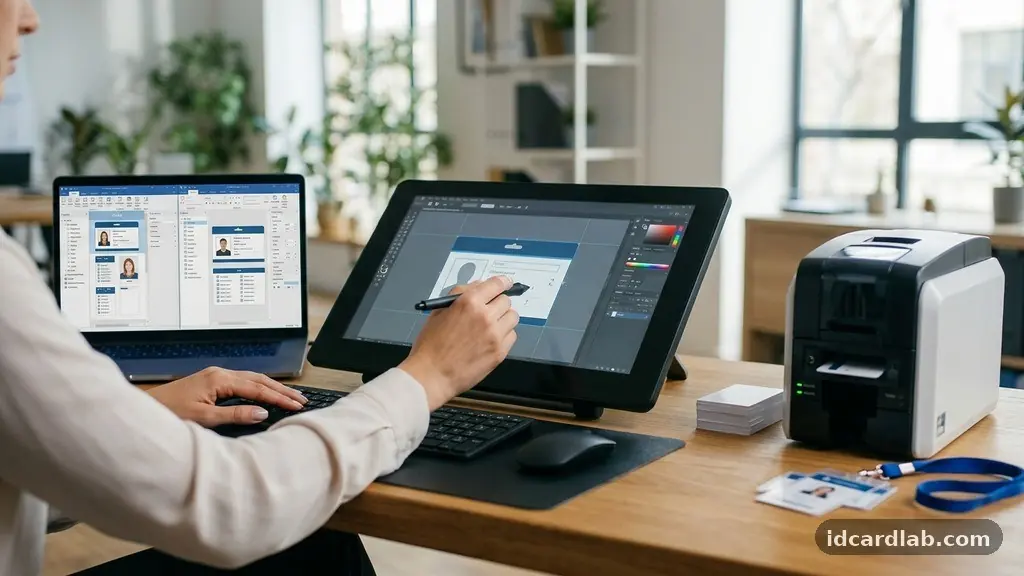
Deciding whether to use a pre-made ID card template or opt for a custom design is a foundational step for any organization managing staff or visitor access. While templates offer immediate results, custom designs allow for tailored visual identity and enhanced security features. Evaluating your specific operational needs, such as the volume of cards issued and the complexity of your security requirements, will dictate which path provides the most value.
By carefully choosing between a pre-made ID card template and a custom design, you can ensure your credentials serve their purpose effectively while remaining within your budget and timeline. This process balances your immediate need for professional identification with your long-term branding goals.
Assessing Your Immediate Operational Needs
The first step in choosing between a pre-made ID card template and a custom design involves understanding your current capacity. If your HR department needs to onboard fifty new employees by the end of the week, speed is your primary constraint. Pre-made layouts allow you to simply plug in names and titles without waiting for a graphic designer to render assets.
When your workflow relies on high-volume production, simplicity often wins. Templates are built for efficiency, allowing you to quickly upload employee photos and print batches without adjusting margins or alignment settings. This reduces the risk of printing errors that can waste expensive PVC stock.
Conversely, consider if your organization has specific technical or regulatory mandates. If your facility requires the integration of magnetic stripes or smart card chips, the physical layout of the card must accommodate these components. Custom designs allow you to place these elements precisely to avoid interference with logos or text.
The Role of Cost-Effectiveness in Design Choices
Budget is rarely an infinite resource, and the financial impact of your design choice should be clear from the start. Pre-made templates typically carry little to no design cost, as they are often included for free with ID card software or printer packages. You save on professional design fees, which can range from a few hundred to several thousand dollars depending on the agency.
Custom designs, however, represent a larger upfront investment. You are paying for the time of a professional who understands color theory, hierarchy, and print production. While this is an added expense, it often prevents the “hidden” costs of poor design, such as cards that fail to scan or look unprofessional to clients.
Consider the following table to compare the financial and time investments typically associated with these two approaches:
| Factor | Pre-Made Template | Custom Design |
|---|---|---|
| Upfront Design Cost | Low to Zero | High |
| Setup Time | Minutes | Days to Weeks |
| Professionalism | Standard | High/Tailored |
| Revisions | Limited | Extensive |
Prioritizing Brand Consistency and Identity
Your ID card is often the first thing a visitor or client sees when entering your premises. Strengthening brand recognition should be a priority for any company that values its public image. A custom design allows you to use your specific brand color palette, fonts, and logo placement to ensure the card feels like an extension of your company.
Templates are inherently generic. Even if you change the colors, the structural layout remains common across many different organizations. If you operate in a high-stakes industry, such as finance or healthcare, a unique, custom-branded card conveys a sense of authority and legitimacy that a stock template cannot replicate.
Think about how your choice affects your long-term branding goals. A bespoke design can incorporate subtle elements like watermarks or custom background patterns that reinforce your identity. These details make the cards harder to counterfeit while elevating the professionalism of your staff.
Balancing Security Requirements with Visual Layouts
Security is not just about the plastic card itself; it is about the information printed on it. Before selecting a design path, you must decide what security features are non-negotiable for your facility. If you require holographic overlays or micro-text, a custom layout is almost always required to ensure these features align with your card’s visual elements.
Templates often lack the flexibility to house complex security features without appearing cluttered. If you try to force a high-security barcode onto a standard template, you may find that the alignment is off or that the barcode interferes with the wearer’s name. Professional designers know how to integrate these functional elements into the aesthetic flow of the card.
Always consult with your security hardware provider before finalizing a layout. You can find detailed guidance on physical security standards to ensure that any design choice complies with industry best practices for credentialing. This ensures your design is not just pretty, but also functional and secure.
The Impact of Design on User Experience
The way a card is designed affects how easily security personnel can verify an identity. A well-structured layout places the most critical information—the person’s name and photo—in the most prominent positions. While templates are convenient, they are not always optimized for the specific way your security team scans or checks cards.
Consider the hierarchy of information on your card. Does the role of the employee need to be larger than the company logo? A custom design puts you in control of this hierarchy, whereas a template forces you to accept the designer’s original choices.
If your staff wear these cards daily, the design should also be durable and clear. Custom designs can account for the placement of lanyards and clips so that the hardware doesn’t obscure vital information. This level of attention to detail improves the daily experience for both the employee and the security staff.
Evaluating Flexibility and Future-Proofing
Business needs evolve, and your ID card design should be able to keep up with those changes. If you anticipate adding new departments, expanding to new locations, or updating your logo soon, a custom design is easier to modify in the long run. You own the source files, which means you can make structural changes as your needs shift.
Templates can be surprisingly rigid. If you suddenly decide to add a QR code for check-in purposes, you might find that the template doesn’t have a designated space for it. This forces you to either abandon your current template or live with a messy, overcrowded design.
Choosing between a pre-made ID card template and a custom design often comes down to this flexibility. Consider the following list of factors that influence your need for future adaptability:
- Anticipated changes in corporate logo or color schemes.
- Potential for adding new security markers like RFID or NFC chips.
- Requirements for different card types for contractors versus full-time staff.
- The need for multi-language support on the physical card.
Common Pitfalls in the Design Process
Many organizations fail by choosing a template and then trying to “hack” it into something it wasn’t designed to be. Trying to add too many logos or text boxes to a simple template often leads to a cluttered, unprofessional appearance. If you must use a template, stick to the original layout as much as possible.
Another common error is ignoring print bleed and margin requirements. Custom designs should always be created with professional print specifications in mind, ensuring the design doesn’t get cut off during the production process. If you are designing in-house, ensure your software is set to the correct dimensions for your specific card printer.
Finally, avoid the temptation to use low-resolution images. Whether you are using a template or a custom design, your logo and employee photos must be high-quality. A pixelated logo on a custom-designed card looks just as unprofessional as a poorly formatted template.
Frequently Asked Questions
How long does it typically take to create a custom ID card design?
A professional designer can usually complete a custom ID card design within three to seven business days. This timeframe includes the initial concept, revisions, and final file preparation for your printer.
Can I use my own software to create a custom design?
Yes, you can use design software like Adobe Illustrator or Canva to create your layout. However, ensure you export your files at 300 DPI and follow the specific bleed requirements provided by your card printer manufacturer.
Is it possible to upgrade from a template to a custom design later?
Absolutely, you can start with a template to get your operations running and transition to a custom design once your branding is finalized. Most ID card software allows you to swap out the background and layout while keeping your existing database of employee information intact.
What are the most important elements to include on an ID card?
The essential elements include the employee’s photograph, full name, job title, company logo, and an expiration date. Depending on your security needs, you might also add a barcode, magnetic stripe, or a unique ID number for tracking purposes.
Do custom designs always look better than templates?
Not necessarily, as a poorly executed custom design can look cluttered or amateurish. A clean, well-chosen template is often more effective and professional than a custom design that lacks a clear visual hierarchy or uses inconsistent branding.
Final Thoughts on Design Strategy
Selecting the right visual format for your credentials is a balance between immediate efficiency and long-term professional presentation. When choosing between a pre-made ID card template and a custom design, focus on how the result aligns with your organization’s specific security requirements and brand identity. Templates serve as a reliable, cost-effective solution for many teams, while custom work provides the tailored functionality and aesthetic impact that established brands often require.
By evaluating your volume, budget, and future growth, you can make an informed decision that supports your operational goals. Start by assessing your current hardware capabilities, then move toward the design path that best reflects your commitment to security and professionalism.