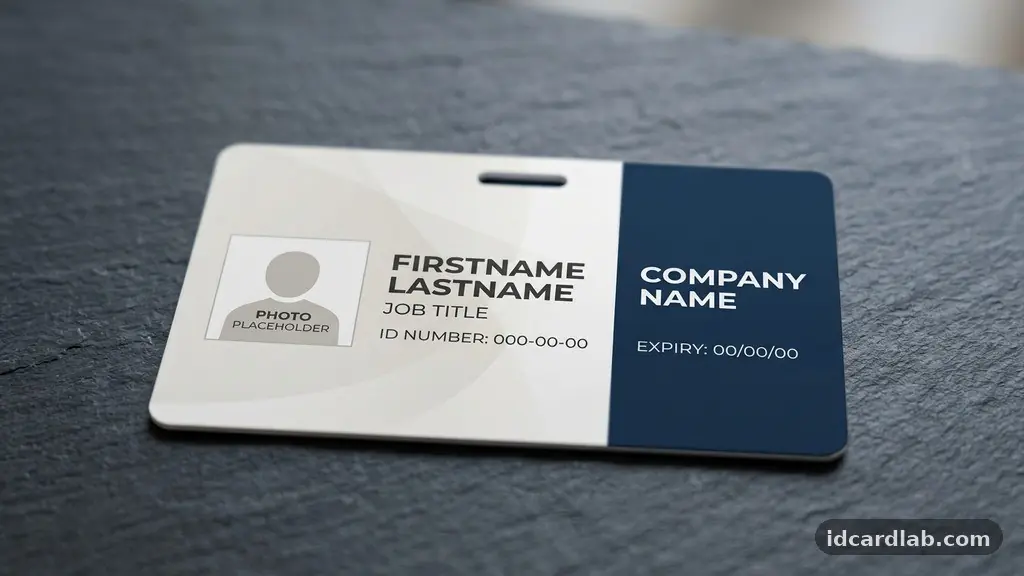
Finding effective ID card background design ideas that keep text clear requires balancing visual branding with strict legibility requirements. When an employee or visitor presents an identification badge, the information on the card must be readable at a glance, regardless of the artistic elements present.
By focusing on smart layout choices and strategic color application, you can create a professional aesthetic that serves both security and communication goals. This article explores the technical and creative methods used to ensure your card designs remain functional while maintaining a high standard of visual appeal.
The Foundation of High-Contrast Design
The primary rule for any identification badge is ensuring that the text stands out from the background without interference. A common mistake is using busy, high-contrast imagery that forces the eye to work too hard to distinguish letters from patterns. You should prioritize typography contrast by choosing font weights that are bold enough to cut through any background noise.
When working with color, remember that the background acts as a stage for the data. If the stage is too chaotic, the performance—the text—will suffer.
A solid, muted color or a very subtle gradient is often more effective than a photograph or a complex vector illustration. If you must use a brand image, consider applying a significant background desaturation effect to pull the colors back from the foreground.
Mastering Negative Space
Effective layout design relies heavily on the intelligent use of negative space. Designers often feel the urge to fill every square millimeter of a card, but this clutter is the enemy of clarity. By leaving clear, empty areas around the text blocks, you guide the reader’s eye directly to the name, title, or ID number.
Think of your card as a miniature canvas where breathing room is just as important as the printed elements. When you isolate the text, it becomes instantly more legible, even from a distance.
Use the space around the margins to provide a buffer that prevents the design from feeling cramped. This approach not only improves readability but also makes the overall card appear more professional and less like a cluttered advertisement.
Utilizing Color Theory for Legibility
Understanding color theory is essential when you want to make text pop against a colored background. The goal is to maximize the difference between the hue of the text and the hue of the background. A dark navy background with white text is a classic, high-visibility combination that works in almost every professional setting.
If your brand identity requires specific colors, ensure you check the contrast ratio compliance before finalizing the layout. You can use tools to measure the luminance difference between your chosen text color and the background color. If the ratio is too low, the text will blur into the background, especially under dim lighting or when printed on lower-quality card stock.
Strategic Watermark Placement
Watermarks are a popular security feature, but they are frequently placed poorly, which compromises the readability of the cardholder’s details. The trick is to keep the watermark placement away from the critical text areas. Ideally, a logo or pattern should be positioned in a corner or faded significantly behind a solid white or light-colored block of text.
When you integrate a logo as a watermark, adjust the opacity levels to ensure it remains a subtle detail rather than a prominent visual feature. A watermark should enhance the security of the card without distracting from the data. If you find the watermark is making the text hard to read, pull it behind a white “container” or text box to create a clean, isolated space for the information.
Selecting the Right Typography
The choice of typeface is as important as the background itself. For identification purposes, sans-serif fonts are generally superior because they maintain clarity at small sizes and on lower-resolution print surfaces. Fonts like Arial, Helvetica, or Open Sans are standard for a reason: they are clean, predictable, and highly legible.
Be mindful of kerning, which refers to the spacing between individual letters. If the letters are too close together, they can bleed into one another when printed, making the text look fuzzy or illegible. Proper spacing ensures that each character remains distinct, which is crucial for quick verification in high-security environments.
Designing for Accessibility Standards
Designing for a broad audience means keeping accessibility standards in mind, particularly for individuals with visual impairments. You should consider how your design choices affect people with different types of color blindness. Using color alone to distinguish information is a common pitfall; always use font weight or size to provide secondary visual cues.
If you are interested in industry guidelines, the Web Content Accessibility Guidelines provide excellent principles that can be adapted for physical media like ID cards. These standards emphasize the importance of high contrast and clear typography. By following these, you ensure that your ID program is inclusive and professional for every person who wears a badge.
Technical Considerations for Printing
Even the most beautiful digital design can look poor if you don’t account for print bleed. When printing to the edge of a card, the printer needs a little extra room for the design to extend past the trim line. If you don’t include this, you might end up with thin white lines on the edges of your card, which ruins the clean look you worked so hard to achieve.
Furthermore, ensure that all your assets are high-resolution graphics. A low-resolution logo will look pixelated when printed, which instantly lowers the perceived authority of the card. Always use vector files (like .EPS or .AI) whenever possible, as these can be scaled to any size without losing sharpness.
Comparison of Design Elements
When planning your ID card, it helps to weigh the impact of different design elements on the final output. The table below compares common design choices and their effect on readability and brand visibility.
| Design Element | Impact on Readability | Brand Visibility |
|---|---|---|
| Solid Light Background | Excellent | Moderate |
| Full-Bleed Photography | Low | High |
| Subtle Pattern/Watermark | High | High |
| Dark Background/White Text | Excellent | High |
Common Challenges and Solutions
* Cluttered Designs: Simplify by removing unnecessary icons or decorative borders.
* Poor Contrast: Swap your font color to white or black to ensure it stands out against the background.
* Pixelation: Replace raster images with vector graphics for all logos and icons.
* Text Bleed: Increase the kerning and use a thicker font weight to prevent character merging.
* Security Concerns: Use holographic overlays instead of busy background patterns to maintain security without sacrificing clarity.
FAQ
Why do my cards look blurry after printing?
Blurriness usually stems from using low-resolution images or files that weren’t designed for print. Ensure your design software is set to 300 DPI and that you are using vector files for all logos to maintain sharp edges.
Is it better to use a photo or a solid color background?
Solid or light-colored backgrounds are almost always better for readability. If you must use a photo, place it in a corner or a side panel and keep the main text area on a plain, solid-colored background to ensure it remains legible.
What is the most readable font for ID cards?
Sans-serif fonts are the industry standard for identification cards. They perform better than serif fonts at small sizes, especially on plastic cards where the ink can sometimes spread slightly during the printing process.
How can I test if my ID design is accessible?
You can use online contrast checkers to verify that your text color meets the required ratio against your background. Additionally, try printing a sample card and looking at it from five feet away; if you can’t read the name easily, the design needs more contrast.
Should I use a border on my ID card?
A border can frame the card nicely, but it can also make the design feel small and cramped. If you use a border, keep it thin and ensure there is enough white space between the border and the text to prevent visual interference.
Final Thoughts
Creating professional identification requires a careful balance between aesthetics and functionality. By prioritizing high-contrast typography, managing your negative space, and choosing appropriate background treatments, you ensure that your cards look great while remaining functional for daily use. Remember that the ultimate goal of any ID card is to convey information quickly and accurately.
As you refine your ID card background design ideas that keep text clear, don’t be afraid to test different layouts before committing to a final print run. Start with a simple, high-contrast template and add brand elements slowly, checking for legibility at every step. By keeping your design clean and intentional, you will create a lasting, professional impression for your organization.