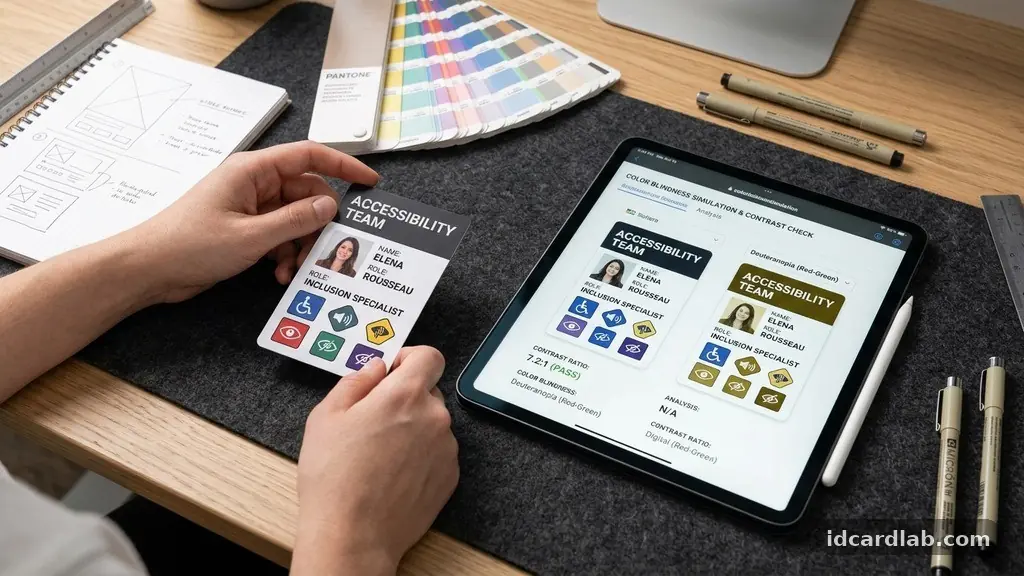
Creating Accessible ID Card Designs for Different Users is a vital step toward fostering an inclusive environment in workplaces, schools, and public institutions. When we prioritize clear, readable, and functional identification, we ensure that everyone—regardless of visual ability or cognitive processing style—can interact with security systems and personnel with dignity.
This process involves more than just choosing a font; it requires a deep commitment to universal design principles that anticipate the diverse needs of your community. By focusing on high-contrast visuals, logical layouts, and tactile additions, you can transform a standard security credential into a tool that empowers every individual.
Understanding the Core Requirements for Visual Accessibility
The most immediate goal when creating Accessible ID Card Designs for Different Users is ensuring that information is legible to individuals with low vision or color blindness. A primary factor here is the contrast ratio between text and background.
According to international standards like the Web Content Accessibility Guidelines (WCAG) 2.1 compliance, text should maintain a contrast ratio of at least 4.5:1 against its background. This ensures that characters don’t disappear into the backdrop for those with varying degrees of visual impairment.
Beyond simple contrast, the choice of typeface is critical for clarity. You should prioritize clean, sans-serif typography that avoids decorative flourishes which can confuse the eye.
Fonts like Arial, Helvetica, or Verdana are often preferred because their letterforms are distinct and easy to distinguish at a glance. Avoid condensed or overly stylized fonts that might cause characters like ‘l’, ‘I’, and ‘1’ to look identical.
Font size is another non-negotiable element. While ID cards have limited real estate, you must aim for a minimum of 10-point or 12-point font for essential information like names and job titles.
If you find yourself crowding the space, consider removing non-essential graphical elements to prioritize the text. Remember that a cluttered card is a less accessible card.
Leveraging Color and Contrast Effectively
When addressing color blindness, you cannot rely on color alone to convey meaning. Many people struggle to differentiate between red and green, or blue and yellow.
If your organization uses color-coded badges to denote access levels, you must supplement that color with distinct patterns, icons, or text labels. This ensures that someone who cannot perceive the color difference can still identify their status.
High-contrast color palettes are your best defense against poor readability in various lighting conditions. Deep black text on a stark white background remains the gold standard for high visibility.
If your branding requires color, ensure the foreground elements are dark enough to stand out against any lighter background colors. You can test your proposed combinations using digital tools that simulate how a color-blind user sees your design.
Consider the finish of the card surface as well. A glossy, highly reflective finish can create glare, making it difficult for some users to read the text at certain angles.
Opting for non-glare finishes, such as a matte lamination or a textured PVC surface, significantly improves legibility. This simple change reduces eye strain and makes the card easier to handle and identify in bright office environments or outdoors.
The Role of Tactile Indicators and Braille
For users who are blind or have severe visual impairments, visual design is only half the battle. Incorporating tactile indicators can make an ID card truly universal. Adding raised lettering or localized braille integration allows users to identify their own card by touch, which is particularly helpful if they carry multiple cards or need to verify the card’s orientation.
While printing full braille on a standard-sized ID card is often impractical due to space constraints, you can include braille for critical identifiers like the cardholder’s initials or a specific department code. Alternatively, consider physical notches or punch-outs on the edge of the card. A tactile notch in the top right corner, for example, can help a user instantly determine which side is the front.
These physical modifications don’t just help the visually impaired; they provide a sensory map for everyone. Think of these as a form of physical haptic feedback that makes the card easier to navigate. When designing these features, ensure the materials used are durable enough to withstand daily wear and tear without losing their tactile definition.
Establishing a Logical Information Hierarchy
A logical information hierarchy is the backbone of any accessible design. You should organize the card’s layout so that the most important information—usually the name and the photo—is the most prominent.
Secondary information like the department or expiration date should be smaller and placed in a less visually dominant area. This structure helps users with cognitive accessibility needs focus on what is essential without being overwhelmed.
Consistency in your layout across all departments is also vital. If every card in the organization follows the same template, users know exactly where to look for information regardless of whose card they are holding.
Avoid changing the position of the name or the ID number between different types of cards. Predictability is a key component of accessibility.
Use whitespace effectively to separate different blocks of information. Crowding a card with too many logos, security patterns, and text boxes can create visual noise that makes the document difficult to process.
If you have a lot of data to include, consider putting some of it on the back of the card. This keeps the front clean and focused on identification.
Comparing Accessibility Features
To help you decide which features to prioritize, consider the following comparison of accessibility interventions. Each feature addresses a specific user need while contributing to a more inclusive overall design.
| Feature | Primary Benefit | Implementation Difficulty |
|---|---|---|
| High-Contrast Text | Visual Impairment | Low |
| Sans-Serif Fonts | Font Legibility | Low |
| Tactile Notches | Physical Orientation | Medium |
| Matte/Non-glare Finish | Reduced Eye Strain | Low |
| Braille Integration | Severe Visual Impairment | High |
Addressing Cognitive Accessibility in ID Design
Cognitive accessibility is often overlooked, yet it is essential for creating an environment where everyone feels comfortable. For individuals with neurodivergent conditions, complex layouts or flashing holographic elements can be distracting or cause sensory overload. Keep your designs clean, calm, and predictable to ensure they are accessible to users with varied cognitive processing styles.
Use clear, straightforward language rather than jargon or obscure abbreviations. If you must use codes for building access, ensure they are labeled clearly.
Icons can be helpful, but they should be universally understood symbols rather than abstract company-specific graphics. If an icon is not immediately recognizable, it may confuse rather than assist the user.
Consistency extends to the physical experience of the card as well. Avoid overly heavy or strangely shaped cards that might be difficult for some users to handle or insert into readers.
If your system requires a specific orientation for a reader, ensure the card has a clear visual and tactile indicator showing which way it should be held. This reduces the frustration that can arise from repeated failed attempts at card readers.
Checklist for Inclusive Design Implementation
When starting the process of designing your new ID system, use this checklist to ensure you haven’t missed any fundamental steps. These points cover the most common pitfalls in card production and help maintain a high standard of accessibility.
- Verify that your font size is at least 10-point for all primary text.
- Ensure the color contrast ratio meets the 4.5:1 minimum standard.
- Test your card design using a color-blindness simulation filter.
- Check that all text is in a clean, sans-serif font family.
- Confirm that the card finish is matte or non-reflective to prevent glare.
- Ensure the layout is consistent across all card types and departments.
- Verify that all essential information is placed in the same location on every card.
- Consider adding a tactile notch to help users orient the card by touch.
Planning for Future Updates and Feedback
Accessibility is not a one-time project but an ongoing process. As technology evolves and your organization grows, you will need to revisit your designs to ensure they remain inclusive.
Establish a feedback loop where employees can report issues they encounter with their identification cards. If a user finds the text too small or the orientation difficult, listen to that feedback and adjust your design templates accordingly.
Consider the lifecycle of your cards. If you are moving toward digital IDs or mobile credentials, apply the same accessibility principles to the screen layout.
Digital interfaces allow for dynamic features like adjustable text sizes and high-contrast modes, which can be even more flexible than physical cards. However, the core principles of simplicity and clear hierarchy remain the same.
Periodically audit your card designs against the latest accessibility standards. As new research emerges on how different users interact with physical and digital credentials, you may find better ways to present information. Being proactive shows your commitment to inclusivity and ensures that your identification system remains a positive, empowering experience for everyone in your organization.
Frequently Asked Questions
Why is sans-serif typography better for accessibility?
Sans-serif fonts have simple, clean letterforms that are easier to distinguish, especially for people with visual impairments. Decorative serifs can blur together at smaller sizes, making the text harder to read.
How can I check the contrast ratio of my ID design?
There are many free online contrast checkers where you can input your foreground and background color codes. These tools will tell you immediately if your combination meets the 4.5:1 ratio required for accessibility.
Is it necessary to include Braille on every ID card?
While not strictly required by law in every jurisdiction, adding braille or tactile indicators is a significant step toward true inclusion. If you cannot include full braille, even a small tactile notch can significantly improve usability.
What should I do if my branding requires colors that fail contrast tests?
You can use your brand colors for secondary elements, such as logos or borders, while keeping the essential text in a high-contrast color like black or dark grey. Accessibility doesn’t mean you have to abandon your brand identity.
How does non-glare finish help with accessibility?
A non-glare finish prevents light from reflecting off the surface of the card. This is crucial for users with visual impairments, as glare can completely obscure text and symbols, making the card unreadable in bright or overhead lighting.
Conclusion
Designing for accessibility is about removing barriers so that every person can participate fully and independently. By focusing on high contrast, legible typography, and intuitive layouts, you make the daily experience of using an ID card easier for everyone. These small adjustments in your design process reflect a larger commitment to equity and respect within your organization.
As you begin creating Accessible ID Card Designs for Different Users, remember that clarity is your most valuable asset. Test your designs, listen to the people who use them, and remain open to refining your approach as you learn more about the diverse needs of your community. When you prioritize these standards, you build a more welcoming and efficient environment for every individual you serve.