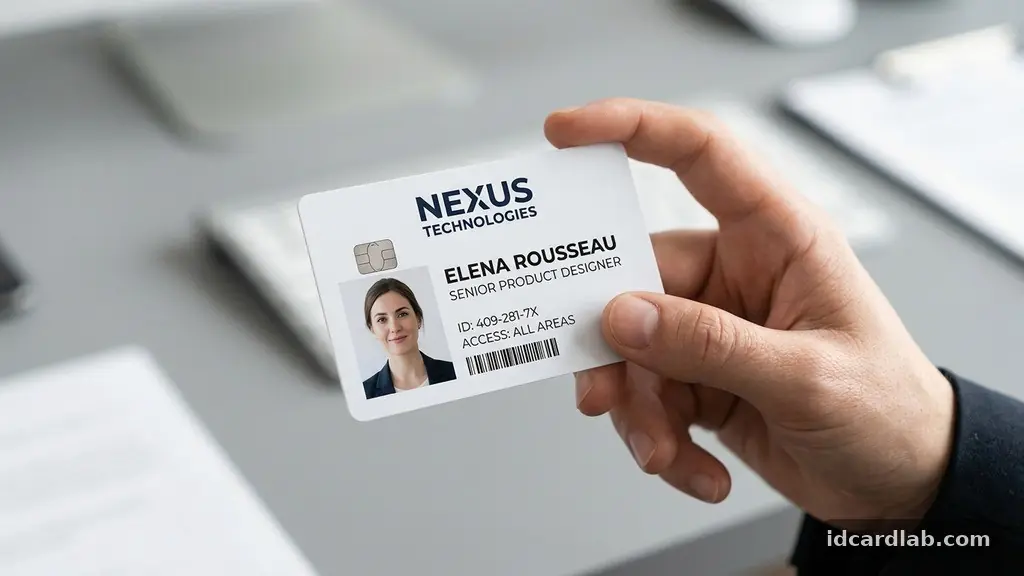
Selecting the best Font Styles for Readable and Professional ID Cards is a critical decision that directly impacts security, accessibility, and brand perception. Choosing the right typeface ensures that vital information like names, job titles, and security credentials remain instantly legible under various lighting conditions. While creative designs might look appealing on a screen, professional identification requires high-contrast, clean characters that avoid confusion between similar letters.
By focusing on established typography principles, you can create credentials that are both aesthetically pleasing and highly functional for security personnel. This article explores how specific font choices improve clarity and help you maintain a polished, authoritative look across your entire organization’s identity management systems.
The Primary Choice: Why Sans-Serif Typefaces Win
When evaluating the best Font Styles for Readable and Professional ID Cards, sans-serif typefaces are the industry standard for a very specific reason. These fonts lack the small decorative strokes at the ends of characters, which can become blurred or distorted when printed at the small sizes required for identification badges.
Sans-serif letters maintain their structural integrity even on low-resolution thermal printers or high-density plastic cards. This simplicity is essential for security staff who must verify identities quickly from a distance or in low-light environments.
Characters in sans-serif fonts are generally more open and uniform, which aids in rapid recognition by the human eye. In high-stakes environments like government facilities or corporate headquarters, there is zero room for ambiguity regarding a name or a clearance level.
A clear “I,” “l,” and “1” differentiation is often built into the architecture of these professional fonts. By selecting a typeface with generous apertures and consistent stroke widths, you ensure that every card is readable at a glance.
Top Tier Typefaces for Identity Cards
If you are looking for specific, time-tested options, Helvetica is arguably the most recognizable choice. It is a neutral, balanced font that has been used by transit systems and government agencies globally because it is incredibly hard to misread.
Another excellent option is Frutiger, which was specifically designed for airport signage to ensure maximum legibility for travelers navigating complex spaces. These fonts have been tested over decades and remain the gold standard for high-traffic environments where accuracy is non-negotiable.
For modern digital environments, Open Sans and Roboto are highly effective alternatives. These were engineered for screen display but translate beautifully to printed media due to their optimized character proportions.
They offer a slightly more contemporary feel than Helvetica while retaining excellent readability. When you select one of these, you are leveraging typography that has been refined by thousands of hours of testing for cross-platform and physical media clarity.
Balancing Font Weight and Visual Hierarchy
Visual hierarchy is the secret to making a card look professional rather than cluttered. You should use font weight to distinguish between different categories of information, such as an employee’s name versus their department.
A bold weight for the name ensures it stands out immediately, while a regular weight for secondary details prevents the card from feeling cramped or overwhelming. This hierarchy guides the eye naturally to the information that matters most during a quick security check.
Avoid using too many different weights or styles on a single card. Limiting your palette to two weights—typically regular and bold—keeps the design clean and intentional.
If you need to emphasize a specific security code or expiration date, consider using a slightly larger font size rather than italics or underlines, which can clutter the design. Proper balance ensures that the most critical information is always the first thing a scanner or security guard notices.
The Importance of Font Size and Scaling
Font size is perhaps the most common failure point in ID card design. Designers often try to fit too much information onto a standard CR80 card, forcing them to shrink the text to unreadable levels.
A good rule of thumb is to keep names at a minimum of 10pt or 12pt, with secondary information no smaller than 7pt. If the text must be smaller than 7pt to fit, you should reconsider the amount of data being displayed on the card face.
You can learn more about international standards for physical security credentials through the International Organization for Standardization guidelines on identification cards. These standards often dictate the physical dimensions, which indirectly influence the maximum font sizes available for text.
By adhering to these constraints, you ensure that your cards are compatible with standard lanyards, clips, and card readers. Always print a test batch at actual size to ensure that the font remains crisp and legible in the real world.
Mastering Kerning and Tracking
Character spacing is a nuanced aspect of typography legibility that many designers overlook. Kerning refers to the space between individual letters, while tracking is the overall spacing applied to a block of text.
For small-format ID cards, slightly increasing the tracking can prevent letters from “bleeding” into one another when the card is printed. This is particularly important for names with complex letter combinations that might otherwise look like a single, illegible blob.
If you are using an automated software for your identity management systems, check if the software allows for manual adjustment of these values. Most professional design software allows you to nudge tracking by small increments, which can make a massive difference in readability.
When characters have room to breathe, the overall design feels more premium and professional. It also reduces the likelihood of OCR (Optical Character Recognition) errors if your cards are scanned by automated systems.
Color Contrast and Background Interference
The best Font Styles for Readable and Professional ID Cards are only as good as the contrast they maintain against the background. A dark gray or black font on a white or light-colored background provides the highest contrast ratio for human eyes.
Avoid placing text over complex patterns, busy photographs, or gradients, as these elements compete with the typography for attention. If you must have a background image, use a semi-transparent white or light gray overlay behind the text to ensure it remains legible.
Consider the environment in which the card will be used when choosing your colors. For outdoor staff, high-contrast, non-reflective text is essential to prevent glare from obscuring the information. Use the table below to understand how different combinations perform in typical security scenarios.
| Color Combination | Readability Score | Best Use Case |
|---|---|---|
| Black on White | Excellent | General ID badges and security credentials |
| Dark Blue on Light Gray | Very Good | Corporate branding with a softer aesthetic |
| White on Dark Blue | Good | High-contrast, bold security or visitor passes |
| Yellow on White | Poor | Avoid for all essential identification text |
Common Pitfalls in ID Typography
One of the biggest mistakes is choosing “decorative” fonts that prioritize style over function. Script, display, or heavily stylized fonts might look unique, but they are notoriously difficult to read, especially for security personnel under stress.
Your ID card is a functional tool first and a branding element second. Stick to professional, clean typefaces that communicate authority and reliability.
Another issue is inconsistent formatting across different departments. If your visitor badges use one font and your employee badges use another, it creates confusion and weakens your security protocols.
Establish a strict style guide that mandates specific fonts, sizes, and weights for every type of card issued. This uniformity makes it easier for security teams to identify valid cards at a glance.
- Use a maximum of two font families per card to maintain consistency.
- Ensure all text is left-aligned, as center-aligned text is harder for the eye to track.
- Avoid all-caps for long strings of text, as it reduces reading speed and comprehension.
- Verify that the font supports all necessary special characters, such as accents for international names.
- Test your card design under different lighting conditions, including direct sunlight and dim office lighting.
Frequently Asked Questions
Can I use custom branded fonts on my ID cards?
You can use branded fonts as long as they are highly legible sans-serif styles. If your brand font is a complex script or a thin, decorative serif, it is safer to use it for headers or logos only and stick to a standard, clean font for the actual data. Professionalism in ID card design is defined by function over form.
What is the minimum font size for an ID card?
While 7pt is generally considered the absolute minimum for legibility, it is better to aim for 9pt or 10pt for names. If the font is a high-quality, open design like Open Sans, it can remain readable at smaller sizes. However, always prioritize the comfort of the person who has to read the card from a few feet away.
Should I use bold for all text on the card?
No, using bold for everything creates a “noisy” design that is difficult to read. Reserve bold weights for the most critical information, such as the person’s name or their department. Use regular weights for the rest of the details to create a clear visual hierarchy that helps the eye prioritize information.
How do I handle long names that don’t fit?
Instead of shrinking the font size to an unreadable level, consider using two lines for the name or using an initial for the first name. You can also reduce the size of secondary information like office numbers or department codes to make more room for the name. Never sacrifice the legibility of the primary identity for the sake of fitting extra data.
Are serif fonts ever acceptable for identification?
Serif fonts are generally discouraged for small-format ID cards because the fine lines (the serifs) can break up or blur during printing. If you must use a serif font for brand alignment, choose a “slab serif” with thick, uniform strokes. Even then, a clean sans-serif font remains the safer and more professional choice for security-focused credentials.
Conclusion
Finding the best Font Styles for Readable and Professional ID Cards is a balance of clarity, consistency, and functional design. By prioritizing clean sans-serif typefaces like Helvetica or Roboto, you ensure that your security credentials are effective and professional in any environment. Remember to keep your visual hierarchy simple, choose sizes that remain legible at a distance, and maintain high contrast between text and background.
These small, deliberate choices accumulate to create a more secure and polished organization. If you are currently reviewing your badge designs, start by standardizing your font choices across all departments today. A clear, readable ID card is a vital component of your facility’s safety, so take the time to refine your typography for long-term reliability.