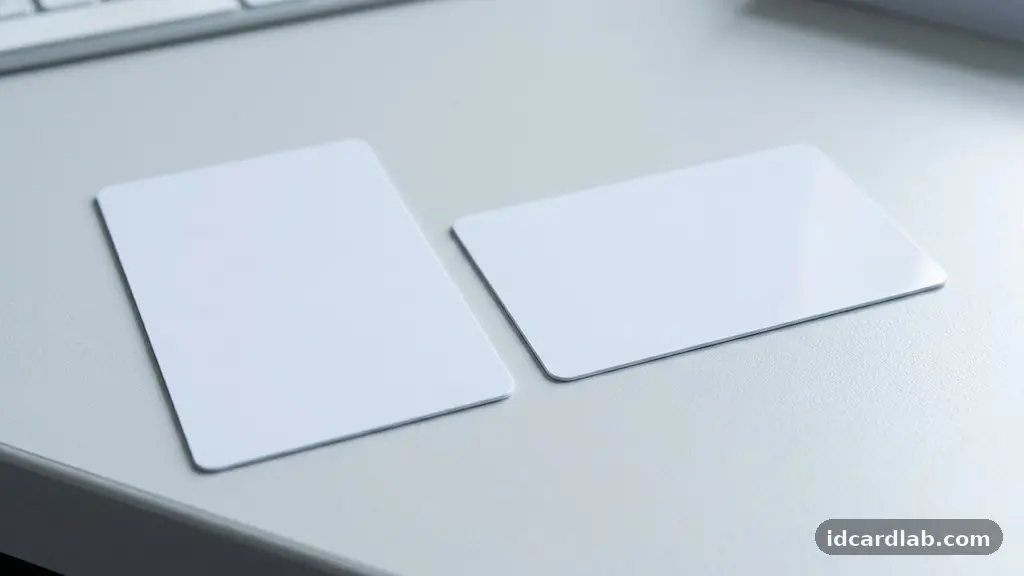
Deciding between portrait vs. landscape ID cards is a fundamental choice for any organization planning their credential system. The orientation you select impacts how staff wear their badges, how security personnel verify identities, and how your brand is perceived at a glance. While one layout is not objectively “better” than the other, specific operational needs often make one choice more practical for your daily workflow.
This article breaks down the technical, functional, and aesthetic differences to help you choose the right format for your team’s specific requirements. You will learn how to align your card design with your security hardware and visual communication goals.
The Core Functional Difference
The primary distinction between these two formats lies in the available space for information and the way the card interacts with clothing. A horizontal layout, or landscape, mimics the classic business card shape, providing a wide canvas that is ideal for long names or wide company logos. In contrast, a vertical orientation, or portrait, is taller and narrower, which often feels more ergonomic when hanging from a lanyard.
Security professionals often prefer portrait cards because they are less likely to flip over during movement. This stability ensures that the photo and name remain visible to guards or receptionists throughout the shift.
Matching Credentials to Hardware
Your choice of orientation is often dictated by the technology embedded within the plastic. If you are using smart card technology, such as chips that require insertion into a reader, the physical orientation of the card matters significantly. Most standard PVC card printers are designed to handle both orientations, but the internal programming and print heads perform most efficiently when the design matches the card’s feeding path.
If you are integrating magnetic stripe technology, ensure your design does not place critical visual elements over the stripe area. A poorly placed design can interfere with the read-head of an access control system if the card is fed through a motorized reader.
| Feature | Landscape (Horizontal) | Portrait (Vertical) |
|---|---|---|
| Primary Use | Visitor badges, event passes | Employee ID, security clearance |
| Visual Focus | Company branding, long text | Individual portrait, name |
| Lanyard Fit | Wide, may tilt | Stable, stays centered |
| Printer Setup | Standard horizontal | Standard vertical |
Prioritizing Visual Identification
Effective visual identification depends on the hierarchy of information on your badge. A portrait layout naturally emphasizes the human face, as the vertical space allows for a larger, more detailed photograph. This is critical in high-security environments where a quick visual match between the cardholder and the image is the first line of defense.
Landscape cards, conversely, often force the portrait to be smaller to accommodate extensive text like job titles, department names, or long company slogans. If your primary goal is security verification, lean toward a vertical layout to maximize the size of the photo.
Branding and Design Aesthetics
Your brand identity is often tied to the shape of your marketing collateral. Companies with horizontal logos or wide, expansive brand styles often find that a landscape orientation complements their existing visual assets. A horizontal design allows for a clean, balanced layout where the logo sits comfortably at the top or side without feeling cramped.
However, a portrait layout offers a modern, professional look that is increasingly popular in corporate settings. It allows for a distinct, streamlined design that feels less like a traditional business card and more like a dedicated security credential.
Practicalities of Lanyard Attachment
The way a card hangs from a person’s chest is a key part of the user experience. Landscape cards are prone to twisting or flipping because they have a wider center of gravity; a single clip or lanyard attachment point often fails to keep them perfectly flat against a shirt. Portrait cards, by design, are narrower and tend to sit more securely against the body.
If your employees are constantly moving, bending over, or interacting with machinery, the vertical orientation will stay oriented forward more reliably. This simple physical fact reduces the annoyance of having to flip a badge back around to show the photo.
Technical Considerations for Card Slot Punching
Many organizations use card slot punching to attach their badges to lanyards or clips. You must decide whether to punch a hole in the center of the short edge or the long edge of the card. Punching a hole in the wrong spot can permanently damage the internal antenna of RFID proximity cards.
Always consult the technical specifications of your smart card technology before deciding on your orientation. If your cards contain high-frequency chips, the antenna usually runs along the perimeter of the card, making any hole-punching a risky venture that requires careful placement.
* Portrait is better for facial recognition speed.
* Landscape offers more space for long text.
* RFID chips require careful slot placement.
* Lanyards perform better with vertical alignment.
* Printers usually handle both with equal ease.
Streamlining Access Control Systems
The integration between your ID cards and your access control systems is where the choice of orientation becomes a technical requirement. Some older card readers, particularly those that require a physical swipe or a specific insertion angle, are built for a landscape-oriented card. If your facility uses legacy hardware, you may be forced to adopt a horizontal design regardless of your aesthetic preferences.
Always verify the physical requirements of your badge readers before finalizing your layout. You can find detailed standards for credential display and hardware compatibility through resources like the Security Industry Association, which provides best practices for physical security hardware.
Common Questions About ID Layouts
Does the orientation affect the durability of the card?
The orientation itself does not affect the physical durability of the PVC material. However, the way a card hangs can change how it interacts with the environment. Vertical cards tend to stay closer to the body, which may protect them slightly from snagging on equipment compared to the wider profile of a horizontal card.
Can I switch from landscape to portrait later?
Yes, but you will need to redesign your templates and potentially adjust your printer’s orientation settings. If you use pre-printed card stock or specific lanyard attachments, those will also need to be replaced. It is best to choose one format and stick to it to maintain a consistent look across your organization.
Which layout is better for visitors?
Landscape is often preferred for visitor badges because it provides a wider area to print large, legible text like “VISITOR” or the date of the visit. This makes it easier for staff to identify guests from a distance without needing to get close enough to read fine print.
Does the orientation change the cost of printing?
No, the cost is the same regardless of the orientation. The price is determined by the card material, the printing technology (such as direct-to-card or retransfer printing), and the complexity of the design. You will not save money by choosing one layout over the other.
What if I have both long names and large photos?
This is a design challenge regardless of orientation. If you have both, consider using a dual-sided design. Use the front for the photo and the name, and use the back for additional text or security information. This prevents the card from becoming cluttered and maintains a professional appearance.
Final Thoughts on Choosing Your Format
Selecting the right orientation for your organization is a balance between security, functionality, and brand presentation. While landscape cards provide a classic, wide canvas perfect for branding and event-based information, portrait cards offer superior stability and a more focused visual identity for daily employee use. Consider your specific hardware, the amount of information you need to display, and the daily activity levels of your staff when making your decision.
By aligning your design choice with the technical realities of your access control systems, you ensure that your credentials are not only professional but also highly functional. Take the time to print a few test samples in both formats to see how they look and feel in real-world conditions before committing to a full-scale production run.