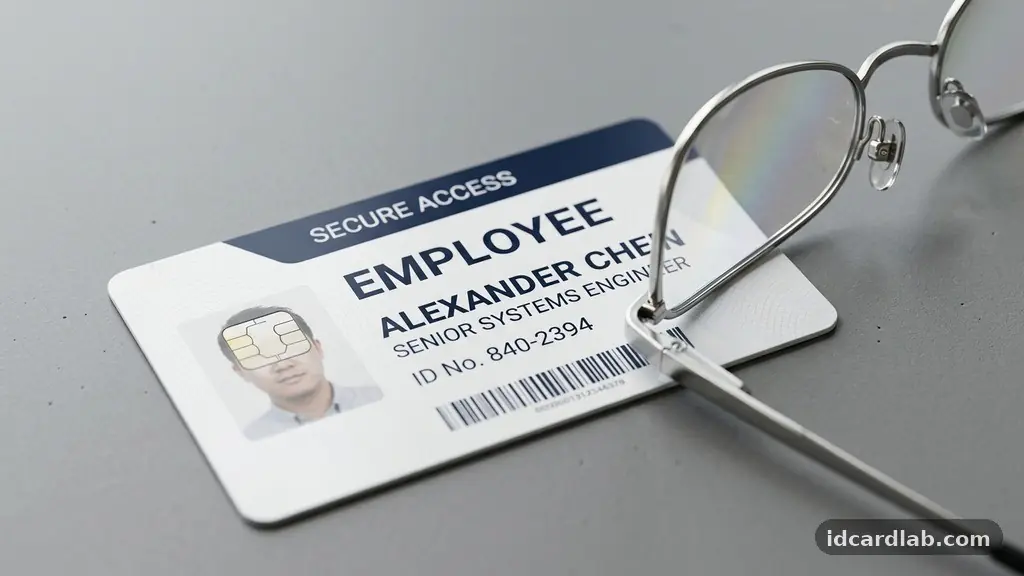
Making ID Card Text Easy to Read at a Glance is a fundamental requirement for security, efficiency, and user accessibility in any professional environment. When information is clear, staff can verify identities instantly, reducing bottlenecks at secure entry points and improving overall facility safety. By focusing on typography, color contrast, and layout, you can transform functional credentials into highly effective tools for identification.
This article explores the precise design choices that ensure your ID cards remain legible under various lighting conditions and distances. You will learn how to optimize every element of your card design to ensure that essential data is processed by the human eye in milliseconds.
The Importance of Font Selection
The choice of typeface is the most critical factor when you are making ID Card Text Easy to Read at a Glance. You should almost exclusively use sans-serif fonts for identification cards because they lack the small decorative strokes that can blur at smaller point sizes.
Fonts like Helvetica, Arial, or Univers are industry standards because their clean lines remain distinct even if the card suffers minor surface wear. Avoid elaborate script or serif typefaces, as these often require larger sizes to remain readable, which consumes valuable card space.
Consistency is your best friend when selecting a font for a professional badge. If you use multiple font families on a single card, you create visual noise that forces the brain to work harder to process the information. Stick to a single, highly legible font family and use variations in font weight—such as bold or semi-bold—to distinguish between labels and data.
For example, use a bold weight for the individual’s name and a regular weight for their job title or department. This creates a natural rhythm for the eye, guiding the viewer to the most important information first.
Optimizing Contrast and Color
A high contrast ratio is essential for ensuring that text stands out against the background of the ID card. The most effective combination remains black text on a white or light-colored background, as this provides the maximum level of visual clarity.
If you must use colored backgrounds for branding or security coding, ensure the text color is sufficiently dark or light to maintain readability. You can check your color choices against the WCAG guidelines to ensure they meet accessibility standards for all users.
Avoid using low-contrast combinations, such as light gray text on a white background or yellow text on a white background. These pairings might look aesthetically pleasing on a high-resolution computer monitor but often fail when printed on physical PVC cards.
When a security officer or receptionist checks a badge, they are often doing so in a split second. If the contrast is poor, they will lose precious time squinting at the card, which defeats the purpose of having an identification system in the first place.
Mastering Whitespace and Layout
Effective layout composition relies heavily on the strategic use of whitespace to prevent information from feeling cluttered. When you pack too much data onto a small plastic card, you diminish the readability of every single element.
Allow for generous margins around the edges of the card and between different blocks of text. This breathing room helps isolate the name and identification number, allowing them to pop out to the viewer.
Think about the hierarchy of information when arranging your layout. The individual’s full name should be the most prominent element, followed by their photograph and then their secondary details like role or department. Do not force secondary information into the same visual weight as the name.
By grouping related items together, you create logical sections that the eye can scan in a predictable pattern. A clean, uncluttered card is not just easier to read; it also projects a more professional and authoritative image for your organization.
Refining Character and Line Spacing
The technical aspects of kerning and character spacing are often overlooked, yet they are vital for long-term legibility. If letters are spaced too tightly, they can bleed together, particularly when printed on lower-resolution desktop card printers.
If they are spaced too widely, the word loses its visual cohesion and becomes harder to recognize as a single unit. Most modern design software handles this well, but you should always perform a test print to see how your chosen spacing translates to physical media.
Check your line spacing as well to ensure that individual lines of text do not overlap or feel cramped. When lines are too close together, the eye may skip or struggle to transition from one line to the next.
A good rule of thumb is to set your line height to approximately 1.2 to 1.5 times the point size of the font. This simple adjustment significantly reduces eye strain and makes the ID card feel much more approachable and clear for the person reviewing it.
Technical Considerations for Print Quality
The physical output is just as important as the digital design when making ID Card Text Easy to Read at a Glance. You must ensure your printer is set to an appropriate print resolution, typically 300 DPI (dots per inch) or higher.
Anything less will result in jagged edges on your text, which makes the characters look fuzzy and difficult to read. High-quality ribbons and clean print heads are necessary to maintain this sharpness over time.
Be aware of how anti-aliasing settings in your design software might affect the final print. While anti-aliasing makes text look smooth on a screen, it can sometimes introduce subtle gray pixels at the edges of letters that appear as blurriness on a physical card.
For the crispest possible results, use vector-based software to design your cards. Vectors scale infinitely without losing clarity, ensuring that your text remains sharp even if you decide to change the dimensions of your card layout later.
Comparing Design Element Impacts
To understand the practical impact of these design choices, it is helpful to look at how different attributes affect the speed and accuracy of reading. The following table provides a comparison of standard design elements and their relative impact on overall card legibility.
| Element | Impact Level | Best Practice |
|---|---|---|
| Font Choice | High | Use sans-serif for clarity |
| Contrast Ratio | High | Black text on white is ideal |
| Point Size | Medium | Minimum 10pt for names |
| Whitespace | Medium | Use margins to isolate data |
| Print Quality | High | Maintain 300 DPI resolution |
Common Mistakes to Avoid
Many organizations inadvertently degrade the readability of their ID cards by including too much extraneous information. If you find yourself struggling to make the name legible, ask whether the card really needs a company slogan, a long mission statement, or multiple contact numbers.
Every additional character you add to the card takes away space that could have been used to increase the font size of the name. A crowded card is a slow card to read.
Another frequent error is the use of complex, busy background images that compete with the text. While a branded watermark can look professional, it must be light enough that it does not interfere with the contrast of the foreground text.
If you must use a logo or background pattern, use a transparency effect to push it into the background. Your text should always be the primary focus, standing out clearly from whatever graphics you choose to include on the card face.
Checklist for Effective ID Card Design
To ensure your cards remain as readable as possible, use this quick checklist before you finalize your design template. Following these steps will help you maintain a high standard of clarity across your entire organization’s identification system.
- Verify that the primary name is at least 12pt in size for quick recognition.
- Ensure the contrast between text and background is high enough for low-light environments.
- Remove any unnecessary information that does not aid in immediate identification.
- Standardize your font usage to a single, highly readable sans-serif family.
- Use bold weights to emphasize critical information like names or IDs.
- Confirm that your printer settings are set to the highest resolution available.
- Review the card layout to ensure there is enough whitespace around the edges.
Frequently Asked Questions
What is the minimum font size I should use for a name?
For most standard credit-card-sized ID cards, the name should be at least 12pt to be readable at a distance of a few feet. If the name is longer than average, you may need to adjust the tracking or use a condensed font, but try not to drop below 10pt for essential identification data.
Do I need to worry about the card material affecting text clarity?
Yes, the texture of the card stock can influence how ink or thermal transfer ribbons adhere. Matte finishes generally provide better readability than high-gloss finishes, which can cause distracting reflections under overhead lighting. If you notice text looking blurry, consider switching to a different card finish or a higher-quality print ribbon.
How can I make an ID card readable for someone with color vision deficiency?
The best approach is to rely on high contrast rather than color coding. Do not use color as the sole indicator of a specific status or department. Instead, use high-contrast text and clear icons or symbols that are distinct enough to be identified even if the colors appear differently to the viewer.
Is it better to print double-sided or single-sided for readability?
Single-sided printing is generally better for rapid identification because the viewer does not have to flip the card over to see the essential information. If you have a lot of data to include, keep the front side for critical identification and move administrative details or contact information to the back of the card.
How often should I review my ID card design?
You should review your design whenever you update your branding or if you receive feedback from security staff about reading speeds. At a minimum, a biennial review is a good practice to ensure that your design keeps pace with any changes in your organization’s security requirements or identification protocols.
Conclusion
Making ID Card Text Easy to Read at a Glance is a manageable process when you prioritize clarity, contrast, and clean layout. By stripping away visual clutter and focusing on the essential data that security personnel need to verify, you create a more efficient and secure environment for everyone. Remember that your primary goal is to facilitate rapid identification, not to showcase graphic design complexity.
Start by reviewing your current templates against the principles mentioned here, such as increasing font sizes and enhancing contrast ratios. Small, intentional adjustments to your typography and spacing will yield immediate improvements in how quickly your staff can be identified. If you follow these guidelines, you will find that your ID card system becomes a much more reliable and professional asset for your organization.