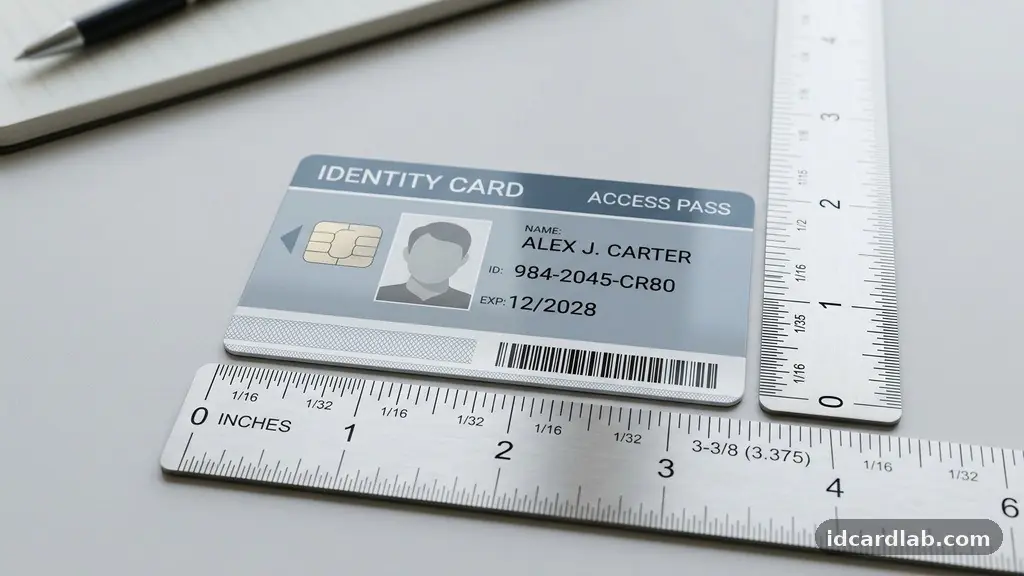
Selecting the physical dimensions of your identification credentials is a foundational step in building an effective security system. While many assume that one size fits all, choosing the right size for an ID card involves balancing user convenience, printing equipment capabilities, and the integration of advanced technologies like smart chips or proximity sensors.
By understanding the standard formats and how they interact with modern hardware, you can avoid costly errors and ensure your organization’s badges are both functional and durable. This analysis provides the technical context you need to make an informed decision for your specific environment.
The Industry Standard: Understanding CR80
The vast majority of identification badges used globally adhere to the CR80 standard. This size measures exactly 3.375 inches by 2.125 inches, which is functionally identical to the dimensions of a standard credit card.
Because this format is so ubiquitous, it is supported by virtually every card printer on the market. If you are starting a new credential program, choosing the CR80 size is almost always the safest and most efficient path forward.
The technical specifications for these cards are governed by the ISO/IEC 7810 international standard. This ensures that a card printed in one office will fit into a standard reader or wallet anywhere in the world.
When you deviate from this size, you risk incompatibility with standard lanyards, badge holders, and automated scanning equipment. Most organizations find that the benefits of this universal compatibility far outweigh the novelty of custom shapes.
Beyond CR80: When to Consider Alternative Sizes
While CR80 is the gold standard, there are niche scenarios where alternative sizes might be necessary. Some organizations prefer larger “event badges” or “visitor passes” that measure closer to 3.5 by 5 inches.
These larger formats allow for bigger text, which is helpful in high-security environments where guards need to verify identity from several feet away. However, these larger cards usually require specialized printers and cannot be fed through standard automated desktop machines.
If you choose a non-standard size, you must also account for the cost of custom-fitted holders. Standard PVC cardstock comes pre-cut for CR80, and finding holders for odd-sized badges can be significantly more expensive.
Furthermore, larger cards are more prone to bending or snapping if they aren’t made from high-quality, reinforced materials. Always weigh the visibility benefits against the logistical headaches of sourcing non-standard accessories before committing to a larger format.
Technical Integration and Card Thickness
Choosing the right size for an ID card is only half the battle; the thickness of the card is equally critical for successful integration. Standard PVC cardstock typically comes in a thickness of 30 mil, which is the industry standard for durability and printer compatibility.
If you plan to embed a smart card chip or a proximity card antenna, the internal architecture of the card becomes the primary constraint. These internal components require a specific amount of space to function without interference.
If you use a card that is too thin, the internal electronics may be exposed to stress, leading to premature failure. Conversely, if the card is too thick, it may jam during the printing process or fail to slide into a magnetic stripe reader.
You should always consult with your hardware manufacturer before selecting a thickness profile. Below is a quick reference table comparing common card configurations and their typical uses.
| Card Type | Standard Size | Primary Use |
|---|---|---|
| Standard CR80 | 3.375″ x 2.125″ | Employee IDs, Access Control |
| Proximity Card | 3.375″ x 2.125″ | Secure Facility Entry |
| Smart Card | 3.375″ x 2.125″ | Data Storage, Multi-factor Auth |
| Jumbo/Event Badge | 3.5″ x 5.0″ | Conferences, Temporary Visitors |
Orientation: Portrait vs Landscape
When designing your ID, you must decide between a portrait or landscape orientation. This choice often dictates how the card interacts with the lanyard slot and the overall visual impact of the design.
Landscape orientation is the classic choice, mirroring the orientation of most credit cards and driver’s licenses. It provides a wide canvas that is ideal for long names or multiple lines of text.
Portrait orientation, on the other hand, is increasingly popular for organizations that prioritize branding and facial recognition. By stacking the photo, name, and logo vertically, you create a more prominent display for the individual’s face.
This is particularly useful for security personnel who are scanning for faces rather than reading text. You must decide on your orientation before you purchase your card printer, as the software settings and feed trays are often optimized for one or the other.
Print Bleed and Design Constraints
Regardless of the size you choose, you must account for print bleed during the design phase. A “full-bleed” card is one where the ink extends to the very edge of the plastic, creating a professional, seamless look.
To achieve this, your design software must extend the background color or images about 1/8th of an inch beyond the actual edge of the card. If you fail to include this bleed, you will often end up with an unsightly white border around your design.
High-quality card printers handle this bleed by slightly over-printing the edge of the card. You should also be mindful of your DPI resolution when setting up your design files.
For crisp, professional results, your images should be at least 300 DPI resolution. Anything lower may result in pixelated text or blurry logos, which undermines the authority and security of the ID badge.
The Role of Security Features
The size of your ID card directly impacts the amount of space available for security features. If you are using a standard CR80 card, you have a limited surface area to fit a photo, text, a magnetic stripe, and a holographic overlay.
These overlays are vital for preventing counterfeiting, as they create a physical barrier that is difficult to replicate. When placing these elements, you must ensure they do not obstruct the magnetic stripe or the area where a smart card chip is embedded.
Holographic Overlays
Holographic overlays add a layer of tamper-evident security to your cards. These must be applied carefully to ensure they do not interfere with biometric scanners or optical readers. A properly sized card allows you to place the hologram in a corner, leaving the identification data clear and readable.
Magnetic Stripes and Chips
If your card includes a magnetic stripe, you lose a significant portion of the back of the card to that technology. You must design around this, ensuring that text or logos on the back do not overlap with the stripe area. Always run a test print to ensure that your design elements do not interfere with the read-write heads of your encoding equipment.
Choosing Materials for Durability
The physical dimensions of your card are only useful if the material can withstand daily wear and tear. While standard PVC is the most common choice, it can be brittle under extreme heat or cold.
If your employees work in harsh outdoor environments, you may want to consider composite materials that offer higher durability. These composite cards, while slightly more expensive, are less likely to crack when exposed to the elements.
You should also consider the finish of the card. A matte finish is often more durable and hides scratches better than a glossy finish.
However, glossy cards provide a more professional look and can make the colors in your logo pop. Whatever material you choose, ensure it is compatible with your specific card printer to avoid damage to the print head or internal rollers.
Common Questions About ID Badge Dimensions
Is it possible to use a standard printer for non-standard card sizes?
Most commercial card printers are physically restricted to the CR80 format. Attempting to force a larger or non-standard shape through the feeder will almost certainly cause a mechanical jam. If you have a specific need for a custom size, you will likely need to outsource the printing to a professional service provider.
Do lanyards work with all card sizes?
Lanyards attach to a lanyard slot, which is usually punched into the card holder rather than the card itself. If you decide to punch a hole directly into your ID card, you must be extremely careful to avoid the internal antenna or smart card chip. For most users, it is much safer to use a protective plastic badge holder that features a pre-punched slot.
Why does my card have a white border after printing?
A white border typically occurs when your design file does not include a proper print bleed. To fix this, increase the size of your background image or color blocks so they extend slightly beyond the edges of your template. This ensures that even if the printer shifts the card slightly, the entire surface remains covered with your design.
How does DPI resolution affect the final look of my ID?
DPI, or dots per inch, determines the clarity and sharpness of your printed images. A low DPI results in blurry text and jagged edges on your logos, which can make your IDs look unprofessional or even suspicious. Always aim for at least 300 DPI to ensure your text is sharp and your images are clear enough for easy identification.
Can I mix portrait and landscape cards in the same system?
Technically, your software can handle both orientations, but your printer’s physical feed tray is usually designed for one or the other. Switching between them will require you to manually rotate the cards or adjust the printer settings before every batch. For the sake of efficiency, it is highly recommended to standardize your entire organization on a single orientation.
Final Thoughts on Badge Selection
Choosing the right size for an ID card is a strategic decision that affects every aspect of your security operations. By sticking to the industry-standard CR80 dimensions, you ensure that your organization remains compatible with the widest range of printers, readers, and accessories. While the temptation to create custom or larger badges can be high for branding purposes, the long-term maintenance and hardware costs often make this a challenging path.
Focus instead on high-quality design, durable materials, and clear, professional imagery to achieve the best results. If you need further clarification on your specific hardware requirements, reach out to your printer manufacturer for their recommended specifications. Making these choices early will save you time and resources as your credentialing program grows.